
10 Best Free AI Video Generators in 2026 (No Watermark Options)
Discover the top free AI video generators with no watermark options. Compare CapCut, Canva, Pika Labs, Hailuo AI & more. Find the perfect tool for your video creation needs.
Why Free AI Video Generators Matter in 2026
The AI video generation landscape has exploded. What once required expensive software and hours of editing can now be done in minutes—often for free.
🔍 What People Are Searching For:
But here's the catch: not all "free" tools are created equal. Some slap watermarks on everything. Others limit you to 5-second clips. And a few require you to sign up for paid plans just to export.
I've tested dozens of AI video generators to find the ones that actually deliver value without hidden costs. Here's what I found.
Quick Comparison: Top 10 Free AI Video Generators
#1. CapCut — Best Overall Free AI Video Generator
🏆 Editor's Choice: Best Free Option
CapCut offers the most generous free tier with no watermarks on exported videos. Perfect for TikTok and social media creators.
CapCut has transformed from a simple video editor into a powerful AI-driven content creation platform. Here's why it tops our list:
Key Features:
- ✅ No watermark on free exports
- ✅ AI text-to-video — Describe what you want, get a video
- ✅ Auto captions — Multi-language support included
- ✅ AI avatars — Create talking head videos
- ✅ Script-to-video — Paste your script, get a complete video
Pros:
- Truly free with no hidden catches
- Excellent for social media content
- Regular updates with new AI features
- Works on web, desktop, and mobile
Cons:
- AI video generation is template-based, not pure text-to-video
- Best results require some manual editing
- Cloud features limited in free tier
Best for: Social media creators, TikTokers, beginners who want professional results without paying.
#2. Canva — Best for Marketing & Business
Canva's AI video tools have evolved significantly, making it a powerhouse for business content creation.
What makes it special:
- Magic Media — Generate video clips from text prompts
- AI script generator — Write your video script automatically
- Brand kit integration — Keep videos on-brand
- 50 free AI generations per month
💡 Pro Tip: Canva's free tier includes watermark-free exports. The AI features are limited to 50 uses/month, but that's plenty for most small businesses.
Use cases:
- Product demos and promos
- Social media ads
- Educational content
- Corporate presentations
Pricing: Free (50 AI uses/month) | Pro $12.99/month (500 uses)
#3. Pika Labs — Best for Creative Effects
Pika Labs stands out with its unique creative effects that you won't find anywhere else. The "Pikaffects" feature lets you melt, crush, explode, or inflate any object in your video.
Free tier includes:
- 250 credits per month
- Access to all effects
- 5-second video generation
- Discord community access
Limitation: Watermark on free tier. Paid plans ($8/month) remove it.
#4. Hailuo AI (MiniMax) — Best Text-to-Video Quality
Hailuo AI, powered by MiniMax, has gained attention for producing some of the most realistic AI-generated videos in the free tier.
Standout features:
- Exceptional motion quality
- Realistic human movements
- Good prompt understanding
- Free tier available (with daily limits)
⚠️ Note: Hailuo AI is still in beta. Quality is excellent, but expect occasional wait times during peak hours.
Best for: Creators who prioritize video quality over quantity.
#5. Luma Dream Machine — Fastest Generation
When speed matters, Luma Dream Machine delivers. Videos generate in under 60 seconds—sometimes under 30.
Why choose Luma:
- Speed — Fastest in the industry
- Cinematic quality — Film-like output
- Easy interface — No learning curve
- 30 free generations per month
Trade-off: Watermark on free tier, 5-second max length.
#6. Runway — Professional Grade (Limited Free)
Runway is the industry standard for professional AI video. Their Gen-4 model produces Hollywood-quality output.
Free tier reality:
- 125 credits (about 25 seconds of video)
- Watermark included
- Good for testing, not production
When to upgrade: If you're doing commercial work, the $12/month Basic plan is worth it.
#7. Kling AI — Best Free Daily Allowance
Kling AI offers the most generous daily free credits in the industry—66 credits that refresh every day.
Highlights:
- 66 free credits daily (not monthly!)
- 10-second videos — Longest in free tier
- Motion Brush — Control specific movements
- 1080p output
Drawback: Interface is primarily Chinese, though usable with browser translation.
#8. InVideo AI — Best for Long-Form Content
Unlike most AI generators that cap at 5-10 seconds, InVideo AI creates full-length videos up to 15 minutes.
How it works:
- Enter a topic or paste a script
- AI generates a complete video with stock footage
- Edit and customize as needed
- Export (with watermark on free tier)
Free tier: 10 minutes of video per week
Best for: YouTube content, educational videos, marketing campaigns.
#9. Synthesia — Best for AI Avatars
🎯 Use Case: Synthesia excels at creating professional talking-head videos without cameras or actors. Perfect for training videos, product demos, and corporate communications.
Free tier includes:
- 3 minutes of video per month
- 60+ AI avatar options
- 130+ languages and voices
- Template library access
Limitation: Very limited free tier. Best suited for trying before buying.
#10. Haiper — Best for Beginners
Haiper offers the simplest interface for AI video generation. If you're new to AI tools, start here.
Why beginners love it:
- Dead-simple interface
- Generous free usage
- Quick 4-second clips
- No technical knowledge required
Trade-off: Lower quality than competitors, short clips only.
The Watermark Reality: What "Free" Actually Means
Here's the honest truth about watermarks:
| Tool | Free Watermark | Remove Cost |
|---|---|---|
| CapCut | None | N/A |
| Canva | None | N/A |
| Pika Labs | Yes | $8/month |
| Hailuo AI | Yes | Varies |
| Luma | Yes | $24/month |
| Runway | Yes | $12/month |
| Kling AI | Yes | $5/month |
| InVideo AI | Yes | $25/month |
| Synthesia | Yes | $18/month |
| Haiper | Yes | $10/month |
How to Choose the Right Free AI Video Generator
Pro Tips: Maximize Your Free AI Video Generations
- Stack multiple tools — Use Kling for ideas, CapCut for finals
- Time your generations — Some tools refresh daily, not monthly
- Optimize prompts — Better prompts = fewer wasted credits
- Use Discord — Pika Labs and others offer bonuses through community
💡 Power User Tip: Create accounts on all 10 tools. Combined, you get 300+ free generations monthly. Use each for what it does best.
When to Upgrade: Free vs Paid Reality Check
Free tiers are great for:
- Testing and experimentation
- Personal projects
- Learning the tools
- Low-volume content creation
Consider paid when:
- You need watermark-free exports
- Creating commercial content
- Require higher resolution (4K)
- Need more than 10-second clips
- Professional/client work
For serious AI video creation, platforms like sorasy.com offer professional-grade output at accessible prices—giving you Sora 2 quality without the $200/month ChatGPT Pro subscription.
Frequently Asked Questions
What is the best free AI video generator without watermark?
CapCut and Canva are the only major AI video generators that offer watermark-free exports in their free tiers.
Can I use free AI video generators for commercial purposes?
Yes, but check each tool's terms. CapCut and Canva allow commercial use on free tiers. Most others require paid plans for commercial rights.
Which free AI video generator has the best quality?
For pure text-to-video quality, Hailuo AI and Pika Labs produce the most realistic results. Runway offers the highest resolution (4K) but has limited free credits.
How long can AI-generated videos be?
- InVideo AI: Up to 15 minutes
- Kling AI/Runway: 10 seconds
- Hailuo/Luma: 5-6 seconds
- Haiper: 4 seconds
Is there a free AI video generator like Sora?
While nothing matches Sora 2's quality completely free, Kling AI and Hailuo AI come closest. For actual Sora 2 access without restrictions, check sorasy.com.
Final Verdict: Best Free AI Video Generator 2026
| Category | Winner |
|---|---|
| Best Overall Free | CapCut |
| Best No-Watermark | CapCut & Canva |
| Best Quality | Hailuo AI |
| Best for Effects | Pika Labs |
| Most Generous Free | Kling AI (66/day) |
| Best for Long Videos | InVideo AI |
| Best for Beginners | Haiper |
| Best Professional | Runway (limited free) |
The AI video generation space evolves rapidly. What's free today might change tomorrow. My recommendation: Sign up for multiple tools, leverage their free tiers strategically, and upgrade only when your needs exceed what free offers.
Related Resources
🔍 Related Searches
- • ai video generator free no sign up
- • text to video ai free online
- • free ai video maker no watermark
- • best ai video generator for youtube
- • ai video generator from text free
📚 Further Reading
Last updated: December 2026. AI video tools evolve quickly—I test and update this comparison regularly.
Want professional-quality AI videos without restrictions? Try sorasy.com for Sora 2 access at a fraction of the cost.
작성자

카테고리
더 많은 게시물
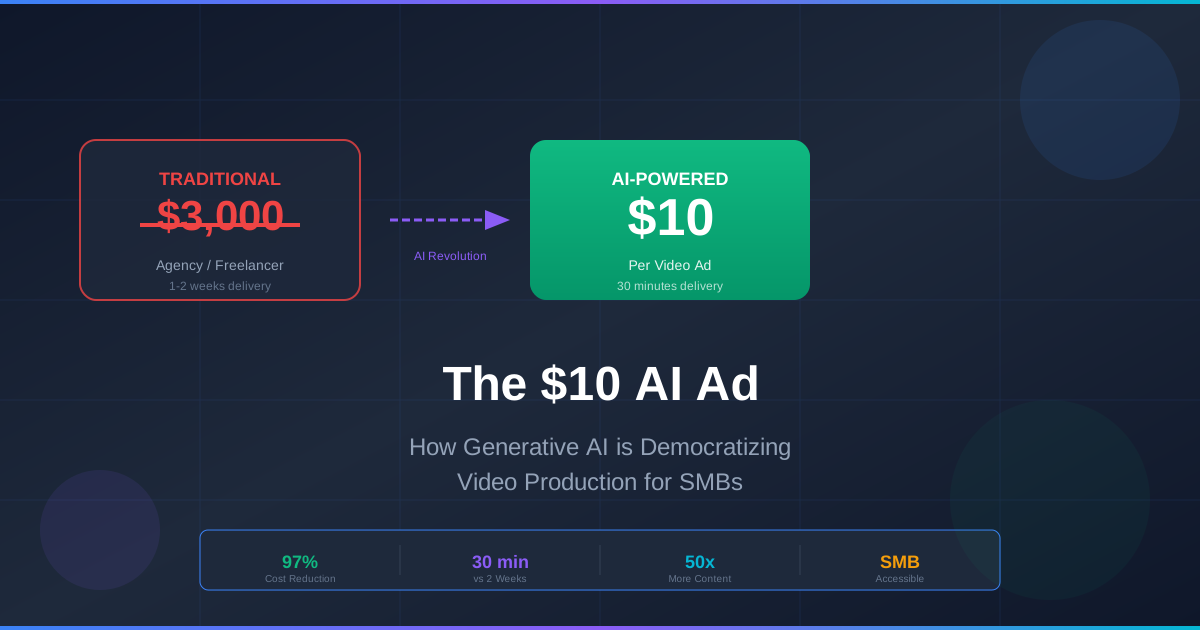
The $10 AI Ad: How Generative AI is Democratizing Video Production for SMBs
What used to cost $500 and a week of back-and-forth with a freelancer can now be done in 30 minutes for the price of a lunch. Here's how AI is collapsing the cost of quality video ads.

Sora 2 Pricing Guide: Complete Cost Breakdown & Credits System Explained (2025)
Understand Sora 2's pricing structure, credit system, and subscription plans. Compare ChatGPT Plus ($20) vs Pro ($200), calculate video generation costs, and discover cost-effective alternatives.

Sora 2 vs Kling vs Runway vs Veo 3: The Ultimate AI Video Generator Comparison (2025)
A comprehensive hands-on comparison of the top AI video generators in 2025. Compare Sora 2, Kling, Runway Gen-4, and Veo 3 on quality, pricing, features, and real-world use cases.
뉴스레터
커뮤니티에 참여하세요
최신 소식과 업데이트를 받아보세요